Ear-Clip Bluetooth 5.3 Sports Earbuds: Stable Fit + HD Mic
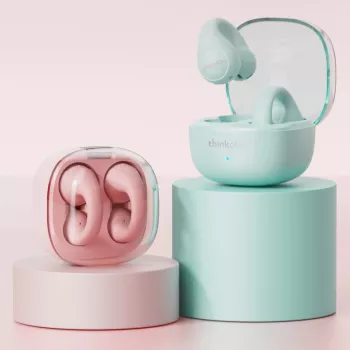
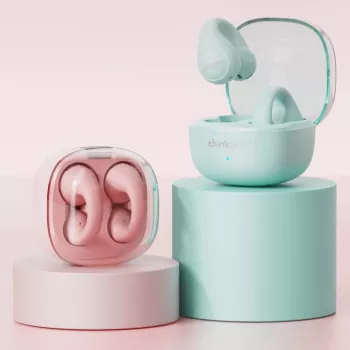
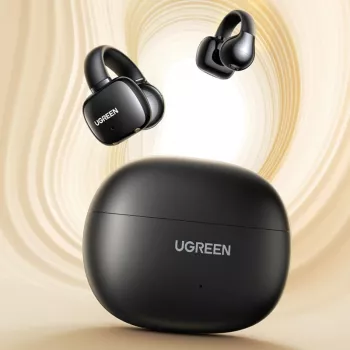
Wireless Ear Clip Bluetooth V5.3 Sports Earbuds with HD Microphone
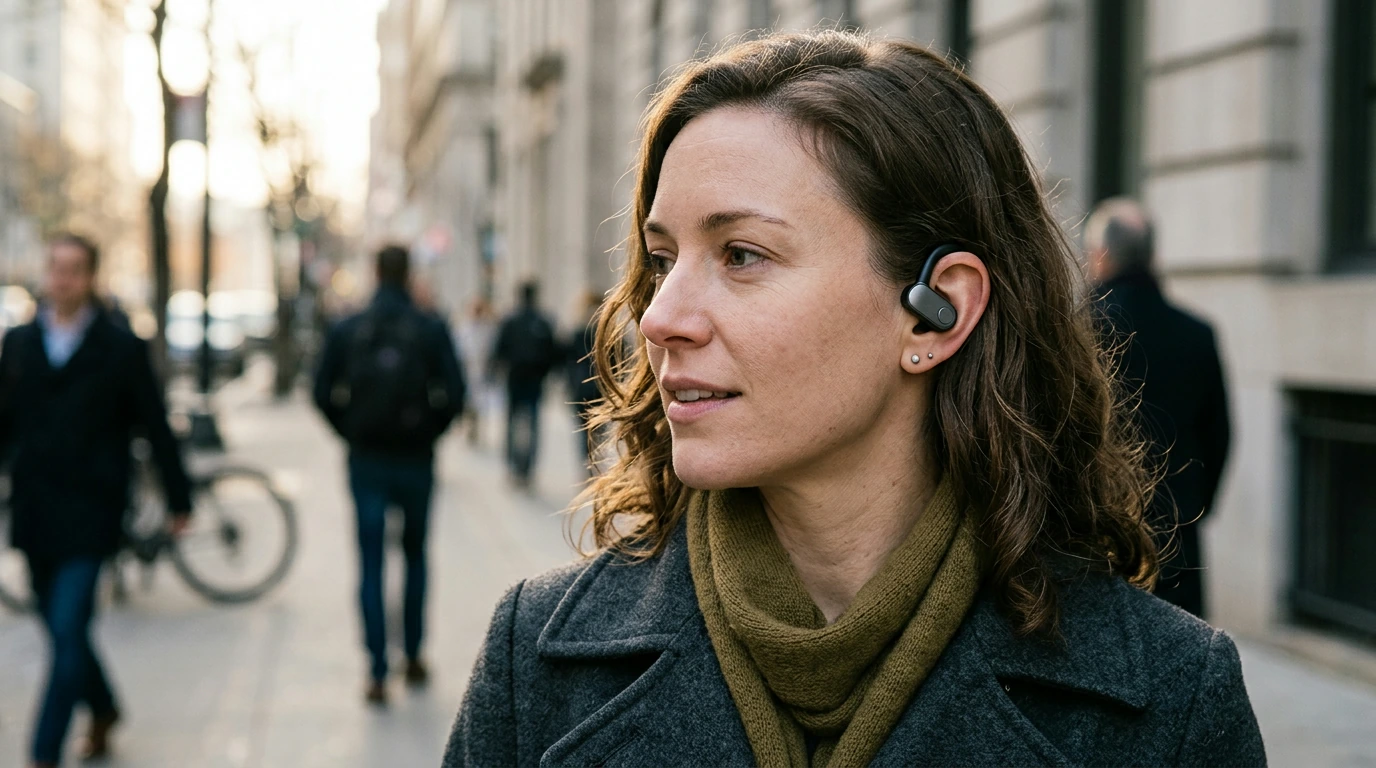
Wireless ear clip earbuds are designed for people who want a stable fit during movement and clearer calls without constantly adjusting in-ear tips. This model combines Bluetooth 5.3 connectivity with an ear-clip style that can feel lighter and more breathable for walks, gym sessions, commuting, and work calls. If traditional earbuds tend to loosen while you run or feel uncomfortable after an hour, an ear-clip design can be a practical day-to-day change—especially at an easy entry price.
What an ear-clip design changes day to day
Ear-clip earbuds sit differently than deep in-ear styles. Instead of relying on a tight ear tip seal, the clip helps keep the earbud positioned during motion and quick transitions.
- More stable feel during jogging, cycling, and workouts: The clip-style wearing method helps reduce the “one earbud slipping out” problem that can happen with looser fits.
- Less “plugged ear” sensation: Many people prefer a more breathable feel versus deep insertion, especially for longer listening.
- Easy on/off for short tasks: If you frequently take quick calls, step outside, or run short errands, the clip format can be faster to put on and remove.
- A helpful alternative for sensitive ears: If ear tips tend to irritate your ear canal or won’t stay sealed, clip earbuds can be a more comfortable route.
Bluetooth 5.3 performance: pairing, range, and reliability
Bluetooth 5.3 is a modern wireless standard built to improve efficiency and stability on compatible devices. In everyday use, that typically translates to smoother reconnection, fewer annoying dropouts, and more consistent performance when your phone moves between a hand, pocket, or bag. For official reference on Bluetooth versions and specifications, see the Bluetooth Core Specification from Bluetooth SIG.
- Faster reconnection: After the initial setup, earbuds commonly reconnect automatically when you take them out or power them on.
- More reliable indoor use: Real-world results depend on interference (Wi‑Fi routers, crowded offices) and obstacles (walls, metal shelving).
- Practical range tips: For the most consistent signal while active, keep your phone on the same side of your body as the primary earbud—your body can block signal more than people expect.
- Simple setup: Pair once in your device’s Bluetooth settings, then rely on auto-reconnect afterward.
If you need step-by-step pairing help, these device guides are useful: Apple Support: Connect Bluetooth devices to iPhone and Google Help: Pair a Bluetooth device.
HD microphone for calls and voice chats
For many buyers, sports earbuds have to do double duty: music during movement and clear calls in between. An HD microphone design aims to keep speech easier to understand for phone calls, video meetings, voice notes, and gaming chat—especially when you’re walking or working hands-free.
- Clearer speech pickup on the move: Consistent mic placement (keeping the earbuds seated the same way each time) helps your voice sound more even.
- Better outdoor calls with small adjustments: Wind is a common enemy. Turning slightly so the wind doesn’t hit the mic directly often improves clarity.
- Useful scenarios: Commuting calls, quick workplace check-ins, multiplayer voice chat, or hands-free navigation prompts.
- Laptop tip: On computers, set the earbuds as the default input device so the system doesn’t quietly switch back to the built-in mic.
Comfort and fit tips for sports and long listening
Clip earbuds should feel secure without feeling tight. A good fit is one you can forget about after a minute or two—without having to clamp down on your ear.
- Start with a neutral position: Place the clip so it rests securely without pinching. If it feels “grabby,” rotate slightly and re-seat.
- Do a quick movement check: Before heading out, try a few head turns and light hops to confirm stability.
- Adjust at the first pressure point: If discomfort shows up after 30–60 minutes, a minor change in angle typically relieves it.
- Glasses compatibility: Put the earbud on first, then place the glasses arm above or behind the clip area—whichever reduces pressure and keeps both stable.
Quick spec snapshot
At-a-glance features
| Feature | What it means for use |
|---|---|
| Ear-clip wearing style | Stays in place during movement; easy to put on and remove |
| Bluetooth 5.3 | Modern connection standard for compatible devices; stable everyday pairing |
| HD microphone | Clearer voice pickup for calls and voice messages |
| Sports-focused use | Designed with active use and quick transitions in mind |
Who this style suits best (and who may want something different)
Care, cleaning, and daily handling
Product page
Wireless Ear Clip Bluetooth V5.3 Sports Earbuds with HD Microphone is currently in stock at $25.51 (USD).
More in-stock picks to round out your setup
- L-Shaped 50-Inch Gaming Desk with CPU Storage & Side Bag for Home Office for a more organized workstation during meetings and calls.
- Wooden Montessori Balance Toys set as a screen-free activity option at home between work sessions.
FAQ
Will these earbuds work with both iPhone and Android?
Yes. Bluetooth earbuds pair with both iOS and Android through your device’s Bluetooth settings, and once paired they typically reconnect automatically the next time you use them.
Are ear-clip earbuds good for running and gym workouts?
They can be a strong option for workouts because the clip-style fit is designed to stay put during movement. Before heading out, do a quick test with head turns and a few light hops, and adjust the angle if you feel any pressure.
How can call quality be improved when using the HD microphone outdoors?
Reduce wind hitting the mic by turning slightly away from gusts, keep your phone relatively close for a stronger connection, and confirm the earbuds are selected as the call audio device. If your voice sounds muffled, gently clean around the mic openings to remove lint or debris.






Leave a comment