50-Inch L-Shaped Gaming Desk: CPU Shelf + Side Bag
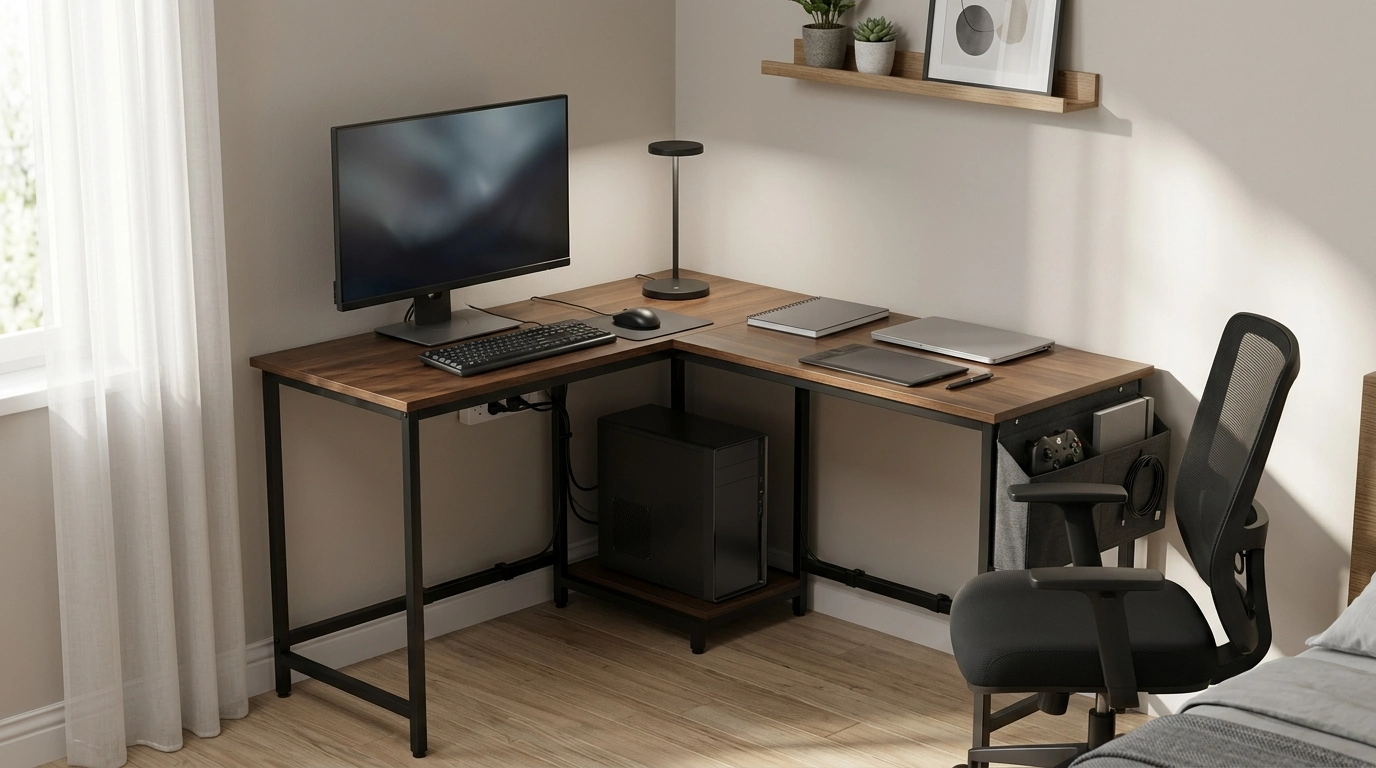
L-Shaped 50-Inch Gaming Desk with CPU Storage & Side Bag for Home Office
An L-shaped desk can turn an unused corner into a practical workstation, combining room for monitors, paperwork, and gaming gear without taking over the entire room. This 50-inch design adds dedicated CPU storage and a side bag to keep the surface clear and the essentials within reach.
If you’re setting up a compact home office, a hybrid work-and-play station, or a bedroom battlestation, the L-Shaped 50-Inch Gaming Desk with CPU Storage & Side Bag for Home Office is built around the two things most small spaces need: a corner-friendly footprint and straightforward organization.
What Makes an L-Shaped Desk Work Well at Home
- Corner-friendly layout that helps maximize usable floor space
- Two connected surfaces to separate tasks (gaming on one side, writing or admin work on the other)
- Better monitor placement options for single or dual-screen setups
- More predictable cable routing along the back edges compared with small rectangular desks
The main advantage is practical zoning. One wing can stay “clean” for keyboard and mouse consistency, while the other handles notebooks, mail, devices, or a second monitor—without crowding your primary work area.
Quick Specs and At-a-Glance Features
- 50-inch L-shaped desktop footprint designed for compact-to-medium rooms
- CPU storage area to keep a tower off the floor and closer to airflow
- Side storage bag for controllers, notebooks, chargers, or small accessories
- Good fit for a mixed setup: work laptop + external monitor, or gaming PC + peripherals
At-a-Glance Checklist
| Feature | Why it matters | Who benefits most |
|---|---|---|
| L-shaped desktop | Creates separate zones and uses corners efficiently | Home office + gaming hybrid users |
| CPU storage space | Reduces floor clutter and helps protect the PC from bumps/dust | Desktop tower owners |
| Side bag | Keeps small items accessible without using desktop space | Controller/headset/accessory users |
| 50-inch scale | Balances usable workspace with room-size constraints | Apartments, bedrooms, shared offices |
Workspace Planning: Getting the Most from the Corner Layout
- Decide the “primary side” for the main monitor so seating lines up with the longest viewing time
- Use the second wing for writing, a printer, a drawing tablet, or a second monitor in portrait orientation
- Leave a small clearance behind the desk for cables and power strips to prevent tight bends
- Keep the front corner area open for mouse movement and comfortable arm positioning
A simple planning trick: sit where your chair will live and “air-mouse” across the surface. If your elbow bumps the inside corner, shift the keyboard slightly toward the primary wing and keep the corner itself free for a small lamp, mic stand, or just breathing room.
CPU Storage and the Side Bag: Practical Organization Wins
- CPU storage keeps a tower stable and reduces accidental kicks from foot traffic
- Easier access to front-panel ports when the PC isn’t tucked under a cramped desk cavity
- Side bag reduces “desktop sprawl” by holding frequently used items (gamepad, power bank, pens, sticky notes)
- A cleaner surface helps keep keyboard and mouse space consistent for gaming and focused work
Keeping the tower off the floor also helps with day-to-day cleaning. It’s easier to vacuum or sweep under the desk when cables are routed neatly and the PC has a defined “home.” For the side bag, prioritize lightweight grab-and-go items: charging cables, USB drives, a small notebook, or a headset—things you reach for often but don’t want permanently on display.
Comfort and Setup Tips for Long Sessions
- Place the monitor so the top of the screen sits near eye level; adjust chair height before adjusting monitor height
- Center keyboard and mouse on the primary side; keep wrists neutral and forearms supported
- Add a desk mat or mouse pad that spans the main area to stabilize the mouse and protect the surface
- Use a small footrest if feet do not rest flat on the floor after chair adjustment
For ergonomic references, OSHA’s workstation guidance is a helpful baseline for monitor height and neutral posture, especially if you’re working full days at your setup (OSHA Computer Workstations eTool). If you’re managing discomfort or repetitive strain concerns, NIOSH offers practical context around ergonomics and musculoskeletal health (NIOSH Ergonomics and Musculoskeletal Disorders).
Cable Management and Power: A Cleaner, Safer Desk
Assembly and Care Basics
Who This Desk Fits Best
In-Stock Picks to Complete Your Setup
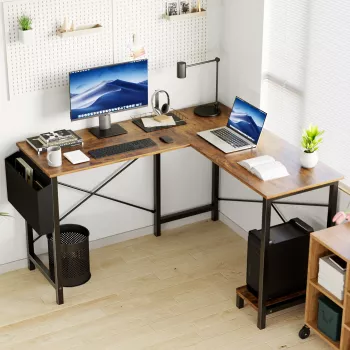
- L-Shaped 50-Inch Gaming Desk with CPU Storage & Side Bag for Home Office (a corner-ready workstation foundation for work and gaming)
- Wooden Solar System Puzzle Board (a screen-break activity that stores easily in a drawer or side bag)
- Wooden Montessori Balance Toys set (a small desktop-friendly fidget alternative for quick mental resets)
FAQ
Will a 50-inch L-shaped desk fit comfortably in a small room?
Measure the two walls that form your corner, then allow extra clearance for your chair to slide back and for any nearby door swing. In many small rooms, an L-shape can feel more efficient than a longer straight desk because it uses corner space that otherwise goes unused.
Does CPU storage reduce dust and improve airflow compared with placing the tower on the floor?
Keeping a PC tower off the floor can reduce dust intake and helps protect it from bumps, kicks, and pet hair. For airflow, leave ventilation clearance around the case and avoid blocking intake or exhaust areas, especially near the rear and bottom vents.
What should go in the side bag to keep the desktop clear?
Use it for lightweight, frequently reached items like controllers, charging cables, pens, a small notebook, USB drives, and a headset. Avoid heavy items that could strain the bag or make it sag into leg space.







Leave a comment