500-Mile Indoor HDTV Antenna: Booster & 16.4 ft Setup
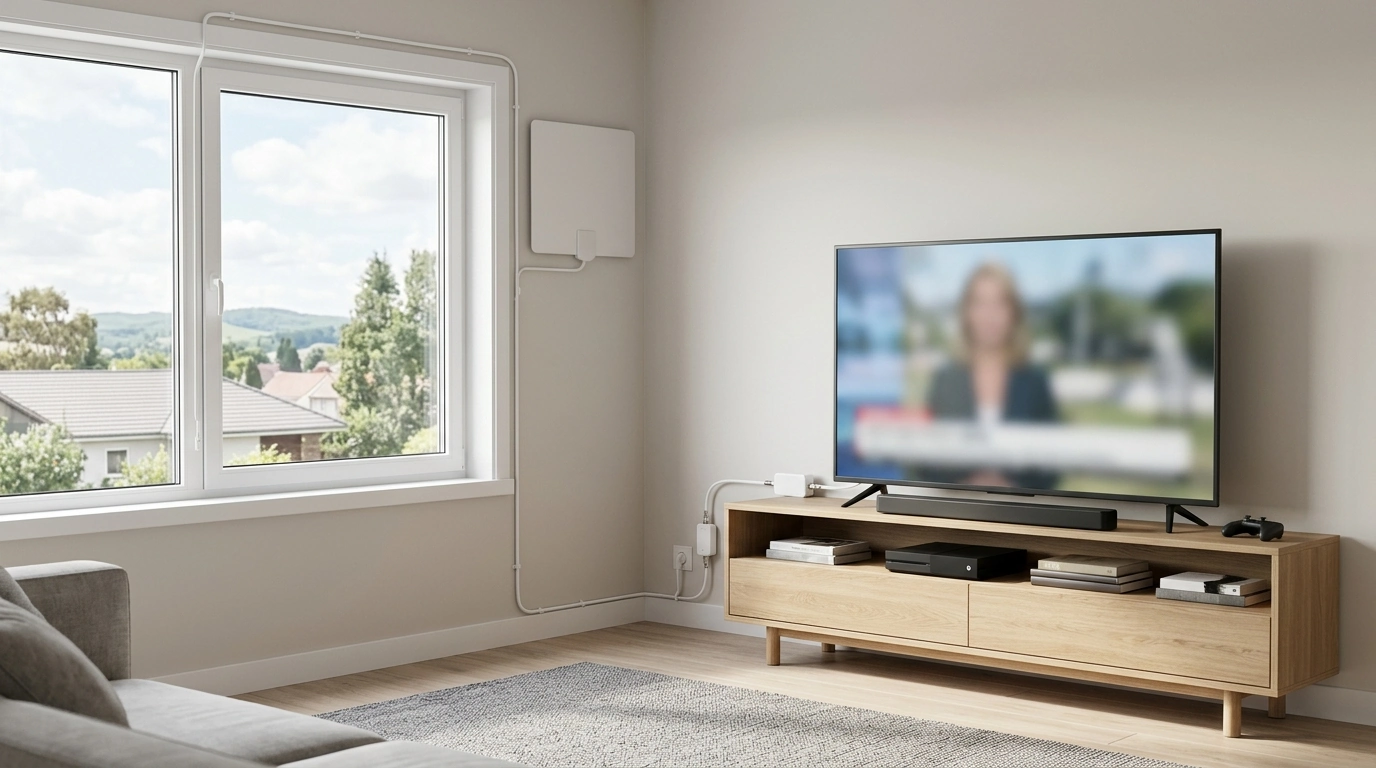
500-Mile Digital HDTV Antenna for 4K/1080P: What It’s Built to Do
A long-range indoor HDTV antenna is a practical way to keep watching local broadcast channels without a monthly bill. A “500-mile” rating is best treated as a marketing shorthand for “high-gain, long-range design,” because real reception depends on factors your antenna can’t control—like hills, building materials, and where local towers sit relative to your home.
This guide explains what to expect from a digital indoor antenna with a built-in signal booster and a 16.4 ft coax cable, plus placement tips and fixes for common problems like pixelation, dropouts, and missing channels.
What this antenna is designed to do
- Receive free over-the-air (OTA) broadcast channels from local stations, depending on distance, terrain, and indoor interference.
- Support common broadcast resolutions up to 1080p; “4K” viewing depends on whether local stations transmit 4K content in the area and the TV’s tuner compatibility.
- Include a signal booster (amplifier) intended to help in weaker-signal locations; it may not help (or may hurt) when very close to transmitters due to overload.
- Include a 16.4 ft coax cable that enables flexible placement away from the TV—often the biggest factor in improving reception.
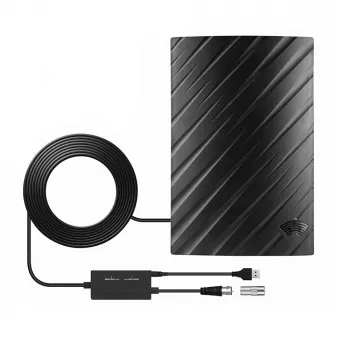
If you’re shopping for this type of setup, the 500 Miles Digital HDTV Antenna – 4K 1080P Signal Booster with 16.4FT Cable is an easy all-in-one option for indoor OTA viewing and fast testing in multiple locations around the room.
Quick specs and what they mean in real rooms
Range claims vary widely across brands; what you get at home is shaped by line-of-sight, hills, dense buildings, foil-backed insulation, and the “noise floor” created by electronics. The good news: indoor reception is often improved more by better placement than by buying a more expensive antenna.
The amplifier is most useful when your antenna must sit in a less-than-ideal spot (like away from the window) or when you split the signal to more than one TV. The 16.4 ft cable is helpful because it lets you test higher and farther positions without dragging the TV around.
At-a-glance features
| Feature | What to look for | Practical tip |
|---|---|---|
| Signal booster | Powered amplification for weak signals | If channels disappear or break up near towers, try turning amplification off (if possible) or repositioning |
| 16.4 ft coax cable | Longer placement options | Run the cable to a window or higher wall placement for better reception |
| 4K/1080P support | Compatibility with digital OTA broadcasts | Channel availability depends on local stations; run a scan after moving the antenna |
| Indoor placement | No roof/attic installation required | Keep it near an exterior wall or window; avoid behind the TV or inside cabinets |
Best placement for stronger reception
- Start by a window facing the direction of major broadcast towers; in many rooms, height matters more than “across the room” distance.
- Prefer exterior walls over central interior walls—exterior walls often mean fewer layers of obstruction.
- Keep separation from noise sources like Wi‑Fi routers, streaming sticks, game consoles, microwaves, LED power supplies, and USB chargers.
- Avoid metal barriers such as filing cabinets, metal studs, foil insulation, radiant barriers, and some low‑E windows that can weaken signals.
- Try another floor if possible: placing the antenna upstairs and running coax down can outperform any “stronger” antenna in a basement-level room.
For homes where the TV area also functions as a workstation, keeping electronics tidy can reduce interference and make it easier to experiment with antenna positioning. A sturdy surface like the L-Shaped 50-Inch Gaming Desk with CPU Storage & Side Bag for Home Office can help separate power bricks, consoles, and routers from the antenna’s placement zone.
Setup steps (from unboxing to first channel scan)
Tuning and troubleshooting: pixelation, dropouts, and missing channels
What channels to expect (and why results vary)
Weather can affect reception under certain conditions, but indoor placement and interference are usually bigger factors than rain. For a realistic preview of what should be available at your address, check tower distance and predicted signal strength using the FCC DTV Reception Maps or AntennaWeb. If you’re curious about the future of broadcast standards and compatible tuners, the NAB overview of ATSC 3.0 (NextGen TV) is a helpful reference.
Care and long-term reliability tips
FAQ
Does a signal booster always improve reception?
No. Amplification can help with weak signals, longer cable runs, or splitters, but it can overload a TV tuner when you’re close to strong towers; if reception worsens, test with amplification off (if possible) and reposition the antenna.
Why did channels disappear after moving the antenna?
Most TVs keep the channel list based on the last scan and the signal quality at that moment. After relocating the antenna, set the TV to Air/Antenna mode and run a fresh channel scan to rebuild the channel map.
Will this work for 4K channels?
The antenna can receive OTA broadcasts that your TV tuner supports, but 4K OTA availability depends on whether local stations transmit 4K and whether your TV supports the required broadcast standard. Many markets still broadcast most content in 1080i/720p even if the TV is 4K.







Leave a comment